Skip to content

Your store. Online. Ready to sell.

Launch your online store without starting from scratch.

OpenCart is a complete ecommerce application, already built. Your customers get a real storefront to browse, search, add to cart, check out and track their orders — and you get one place to manage the products and orders behind it.

Not sure where you stand? Check your Store Readiness Score

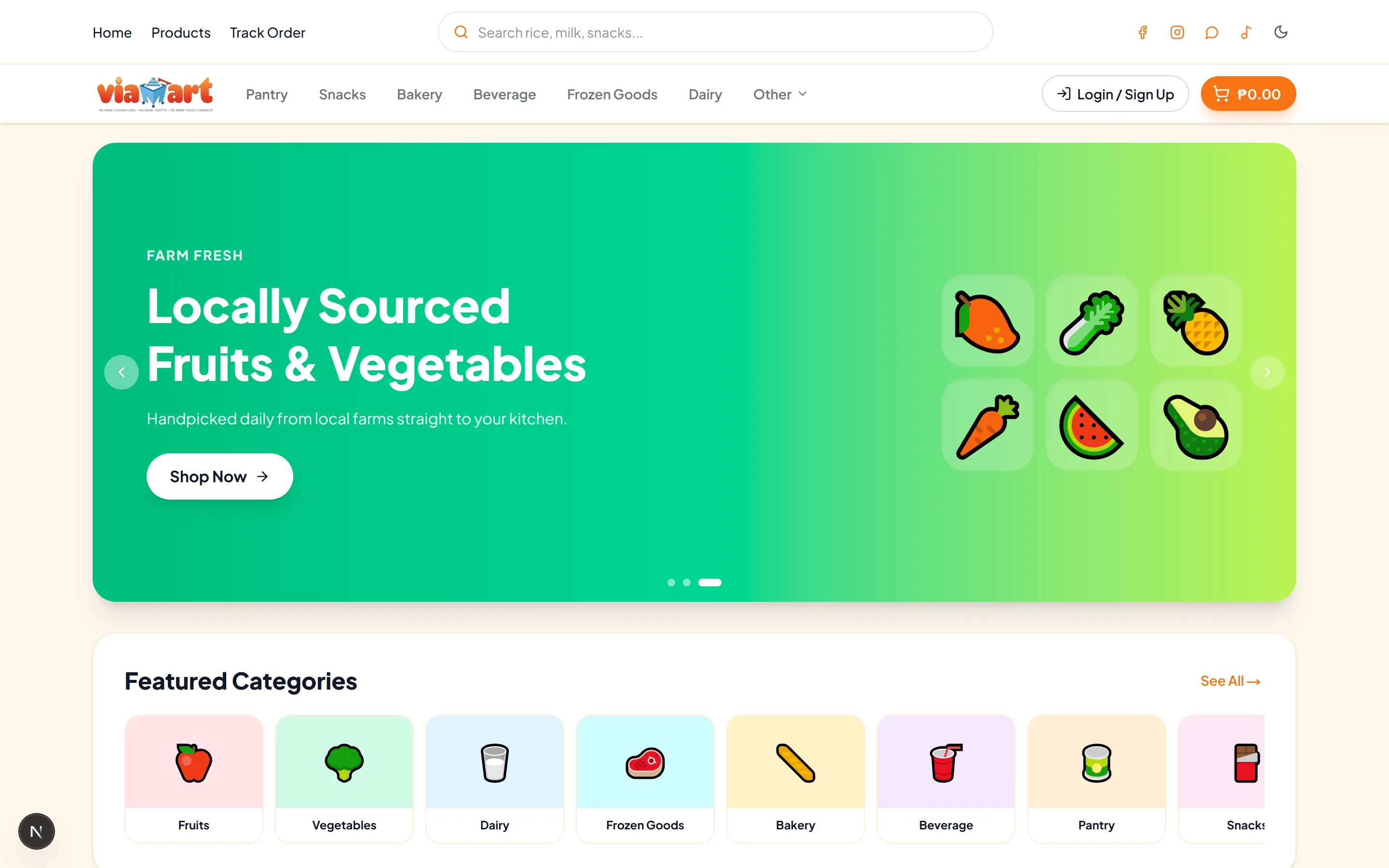
The OpenCart storefront on desktop: search bar, category navigation, a promotional hero banner and a featured categories row.

The problem

Selling online shouldn't require building everything from zero.

  • Custom development is expensive and slow

    Building a storefront, cart, checkout and order system from zero means months of work and a bill to match — before you have sold anything.

  • Manual order handling stops scaling

    Screenshots of orders, replies at midnight, totals worked out by hand. It holds up at ten orders a week and falls apart at a hundred.

  • A social page is not a storefront

    Customers cannot search your catalog, see what is in stock, or check out on their own. Every sale waits on you to reply.

  • Customers expect a real shopping experience

    People know what buying online is supposed to feel like. Anything that asks them to work harder than that costs you the sale.

Before

  • Products buried in old social posts
  • Orders arriving by Messenger
  • Stock and prices tracked in a spreadsheet
  • Totals added up by hand
  • "Is this still available?" — again
  • No way for customers to check on an order

After

  • A storefront customers can browse
  • A catalog organised into categories
  • Search, cart and checkout that run themselves
  • Prices and stock in one place
  • Orders in a single dashboard
  • Customers tracking their own orders

What you get

Everything your business needs to sell online.

Sell

A storefront customers can actually buy from

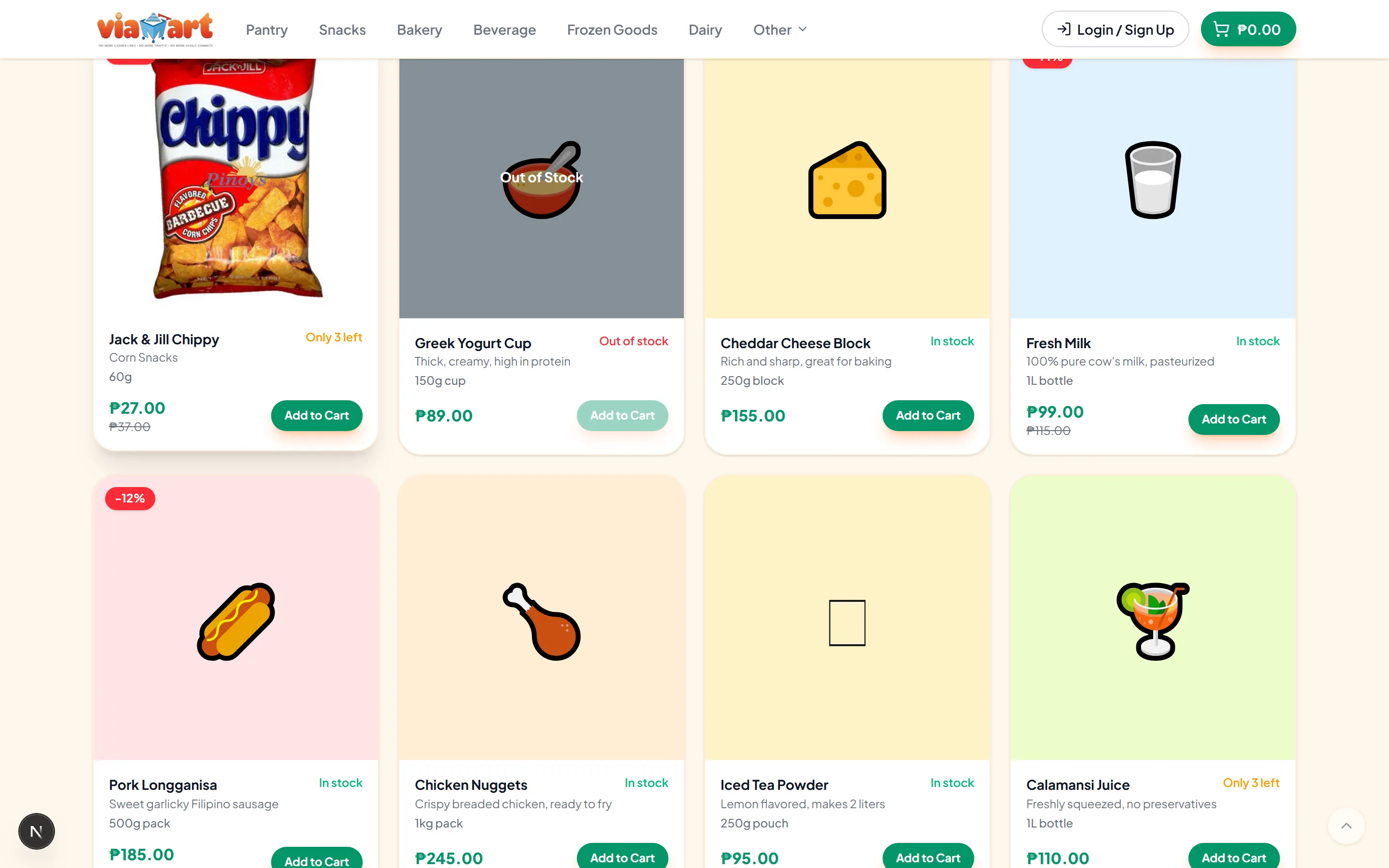
Customers browse your catalog, search for what they want, filter by category, open a product and add it to their cart. Checkout collects their details and places the order.
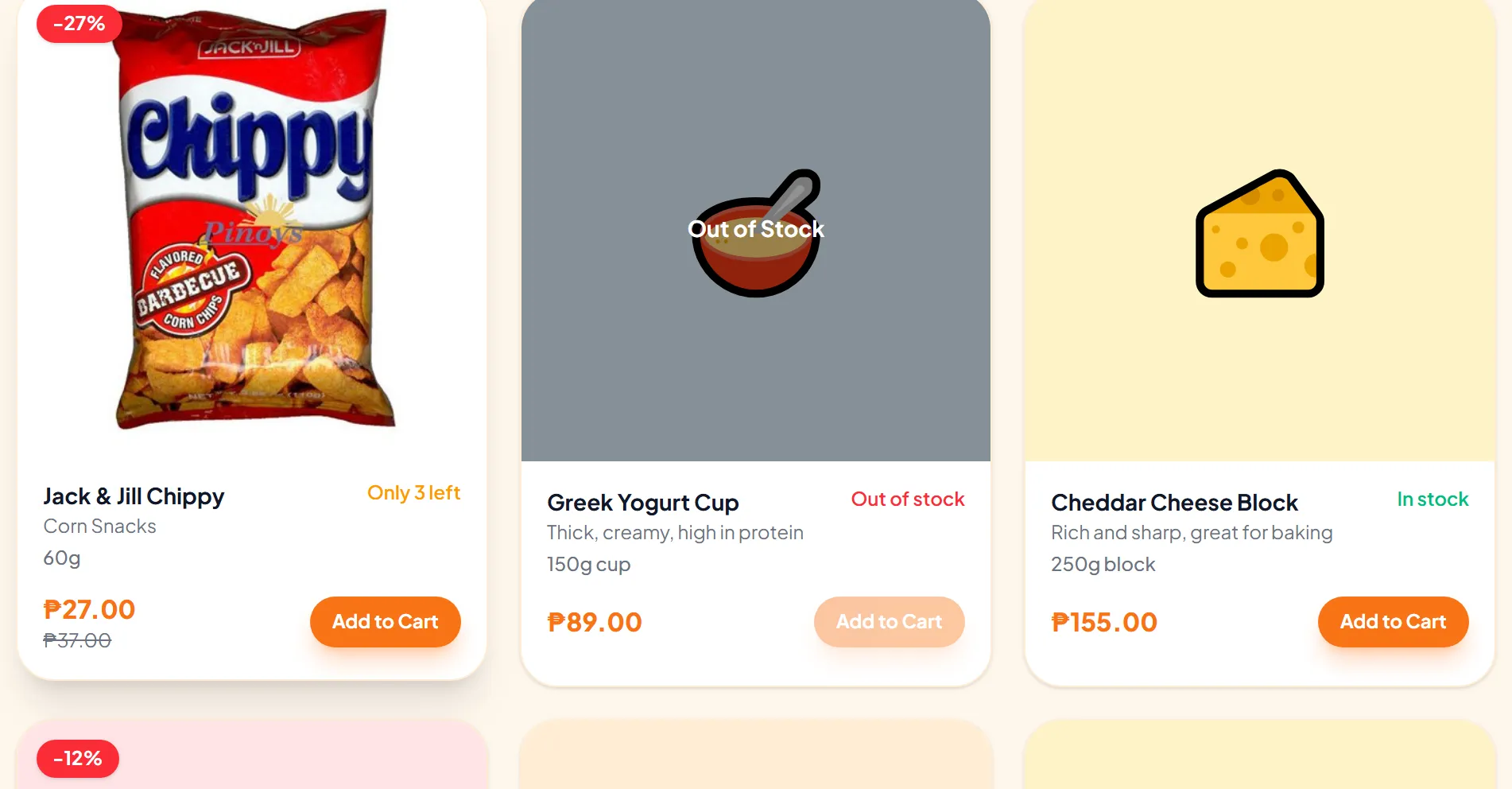
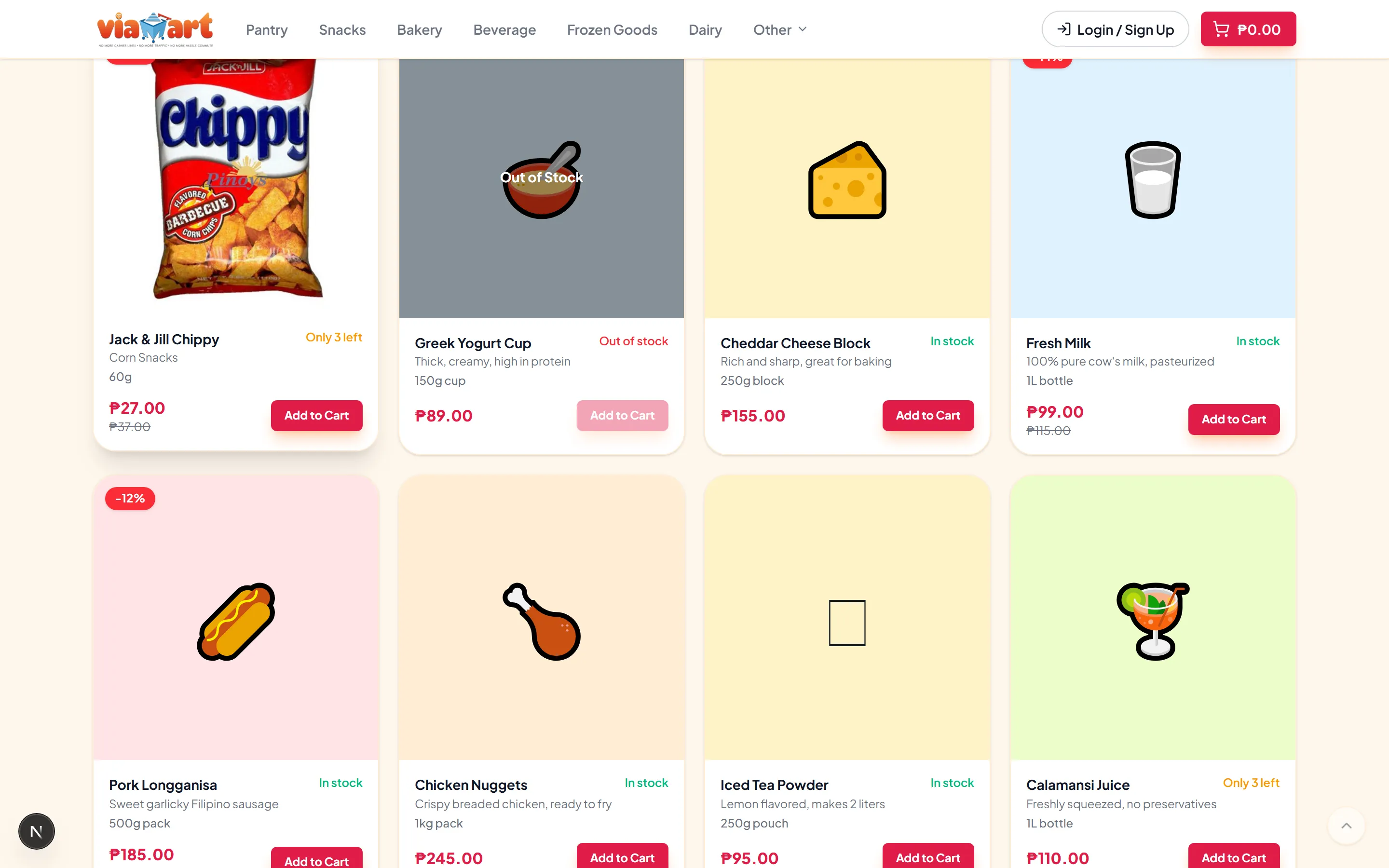
Three product cards from the storefront, each with a photo, name, stock label, price and an add-to-cart button.

Manage

Products, orders and customers in one place

An admin dashboard for your catalog, categories, promo codes, delivery areas and orders — with search, filters and a status flow on every order.
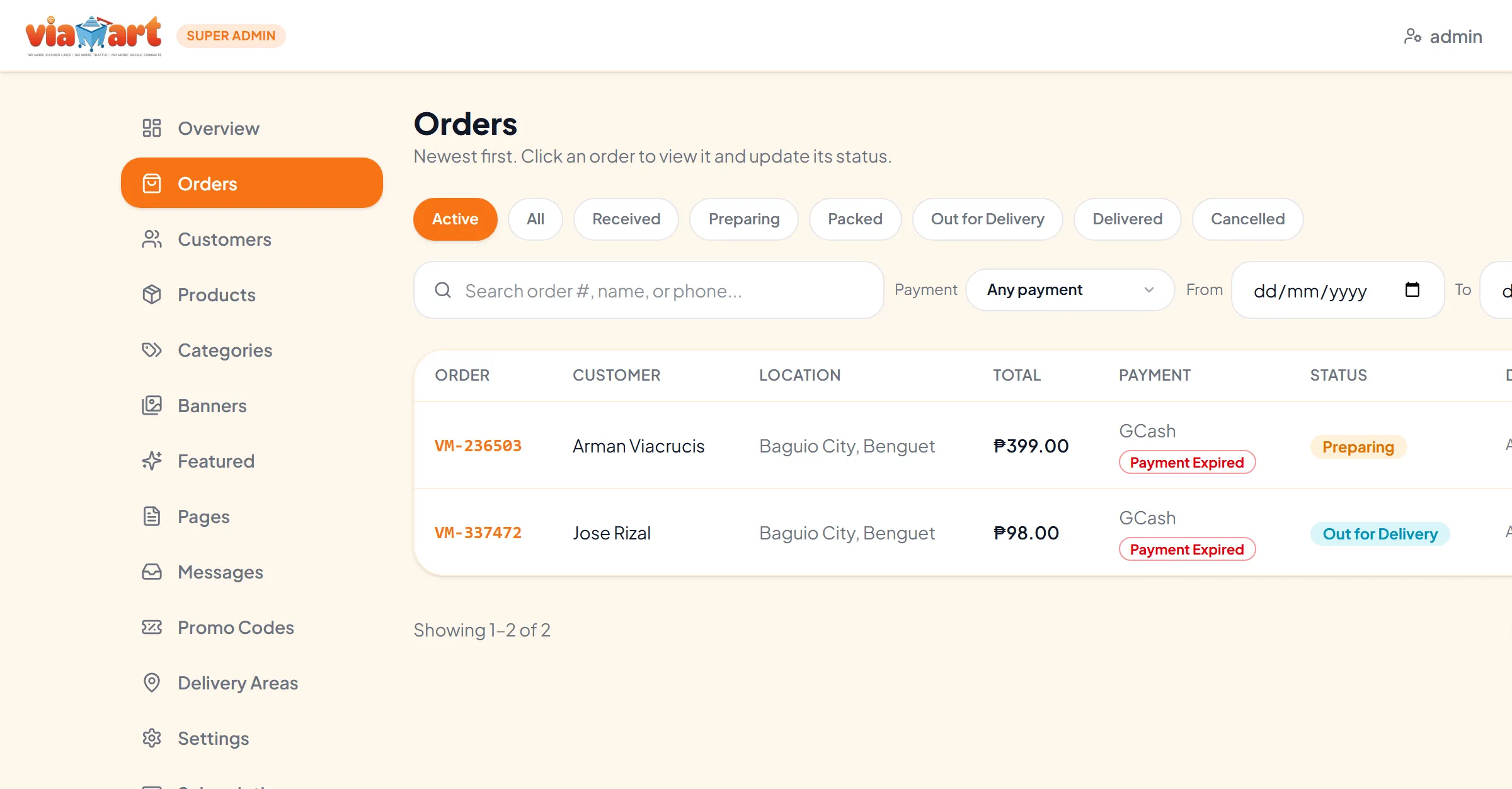
The admin Orders screen: a sidebar listing Orders, Customers, Products, Categories, Promo Codes and Delivery Areas, with status filters, a search box and a table of orders each showing its status.

Grow

A branded store that belongs to you

Your name, logo, colours and payment methods — on your own domain. Customers can create an account, keep addresses on file and track their orders.
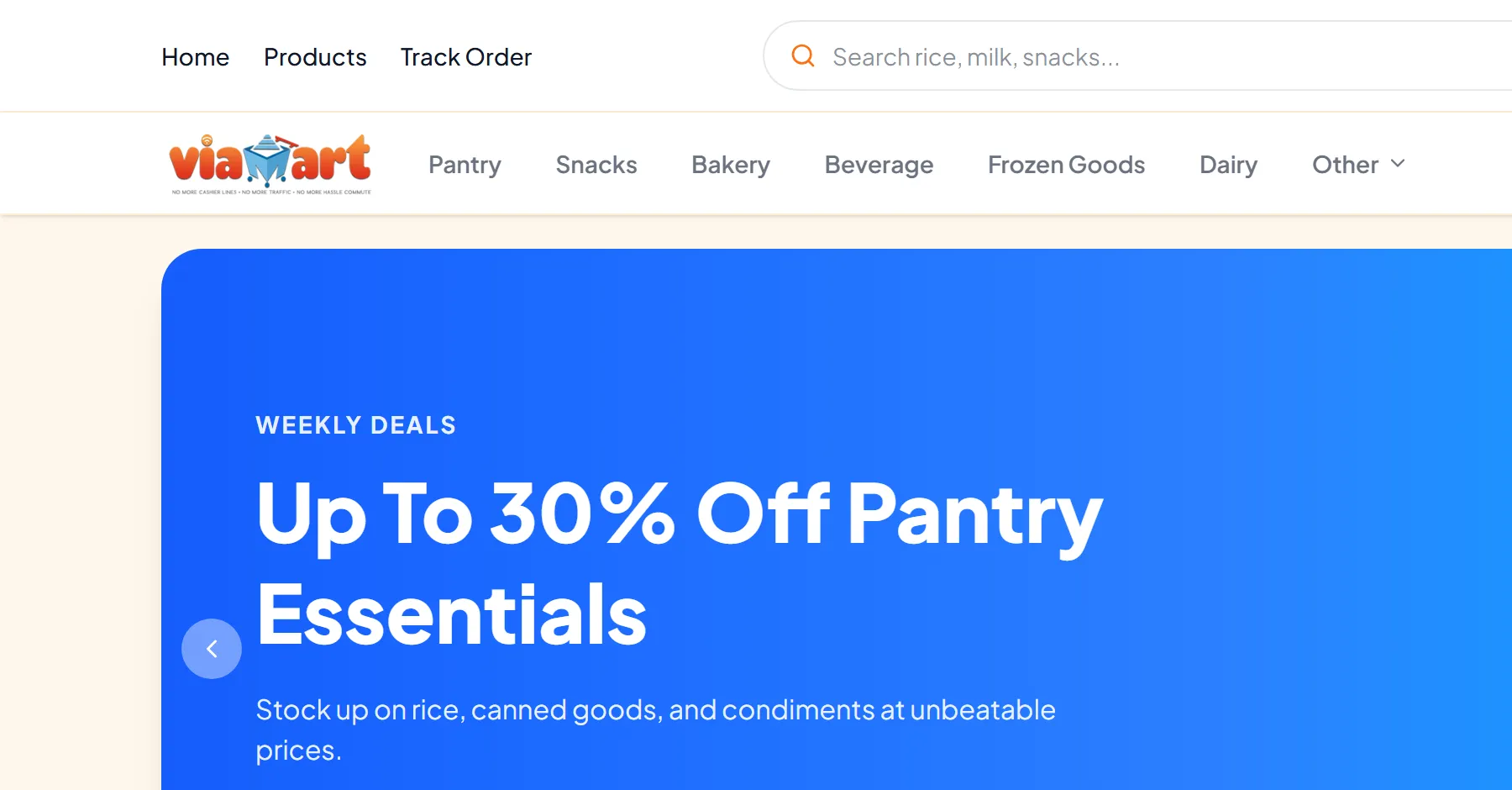
A storefront header carrying the shop's own logo and category navigation, above its promotional banner.

Are you ready to sell online?

Answer a few quick questions and get your Store Readiness Score, plus what to fix first.

Get My Score

Takes about 2 minutes. Free. Instant result.

The product

A complete online store, ready to make your own.

Every screen below is the real application, captured as it runs.

Storefront

A homepage that puts your products first

A promotional banner you control, categories across the top, and a search box. Customers land and start browsing straight away.

Storefront homepage with search, category navigation, a promotional banner and featured categories.

Product browsing

Browse, filter, sort — then open a product without leaving the page

Products sit in a grid with category filters and sorting by newest, price or best selling. Opening one brings up a quick view with the description, price, stock and quantity, so adding to the cart never costs a page load.
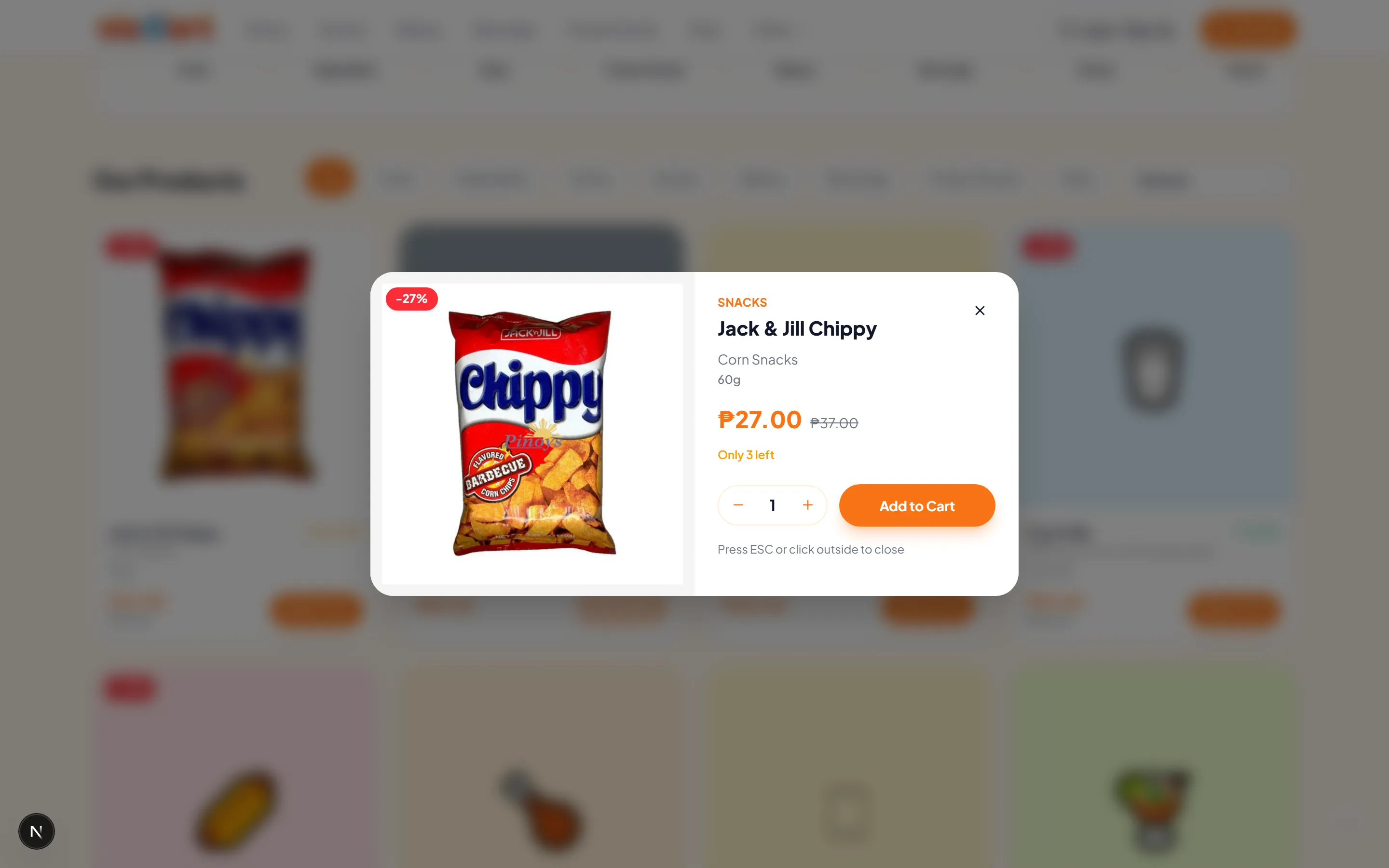
The product quick view panel, showing a product image, description, price, stock status, a quantity stepper and an add-to-cart button.

Cart

A cart that does the arithmetic

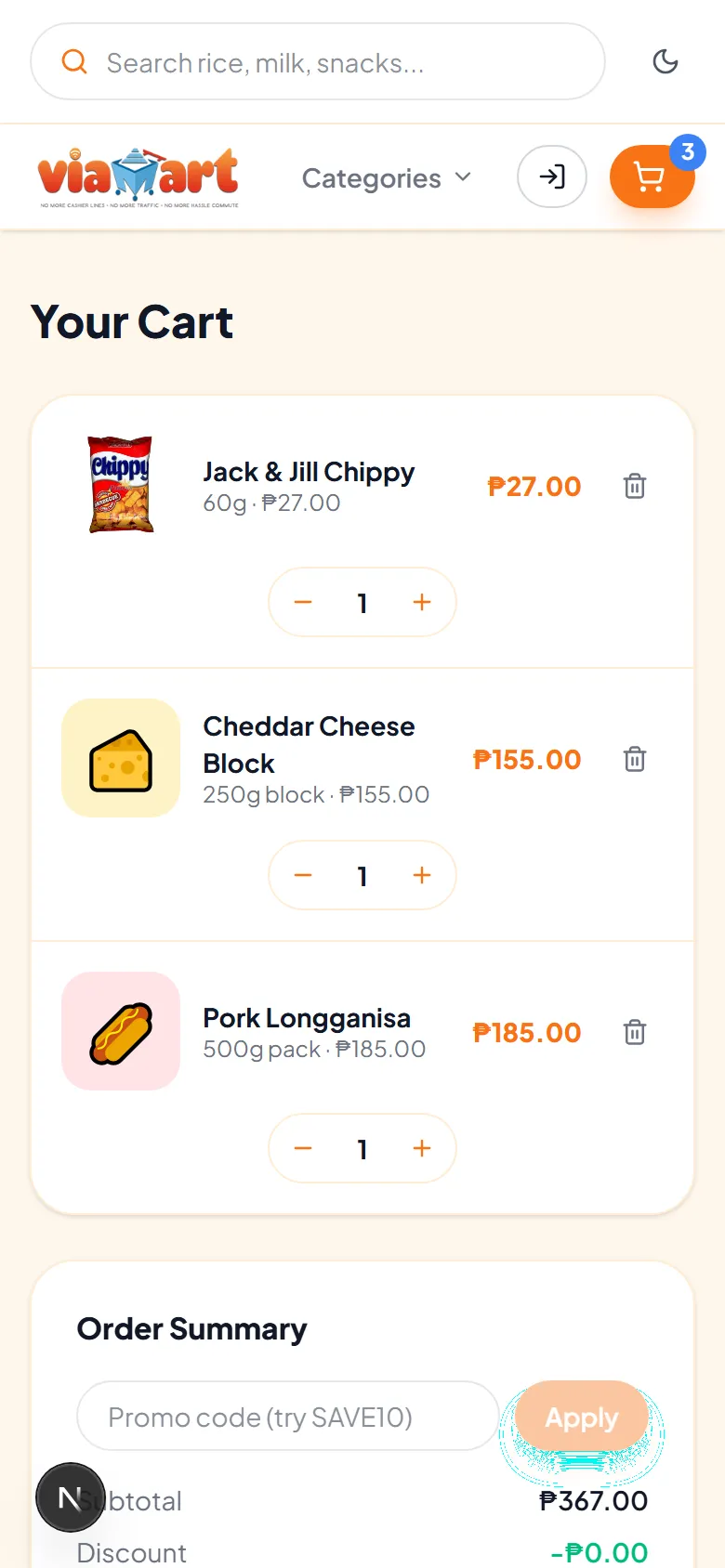
Line items with quantity controls, a running order summary and a promo code field that is checked on the server before any discount is applied.
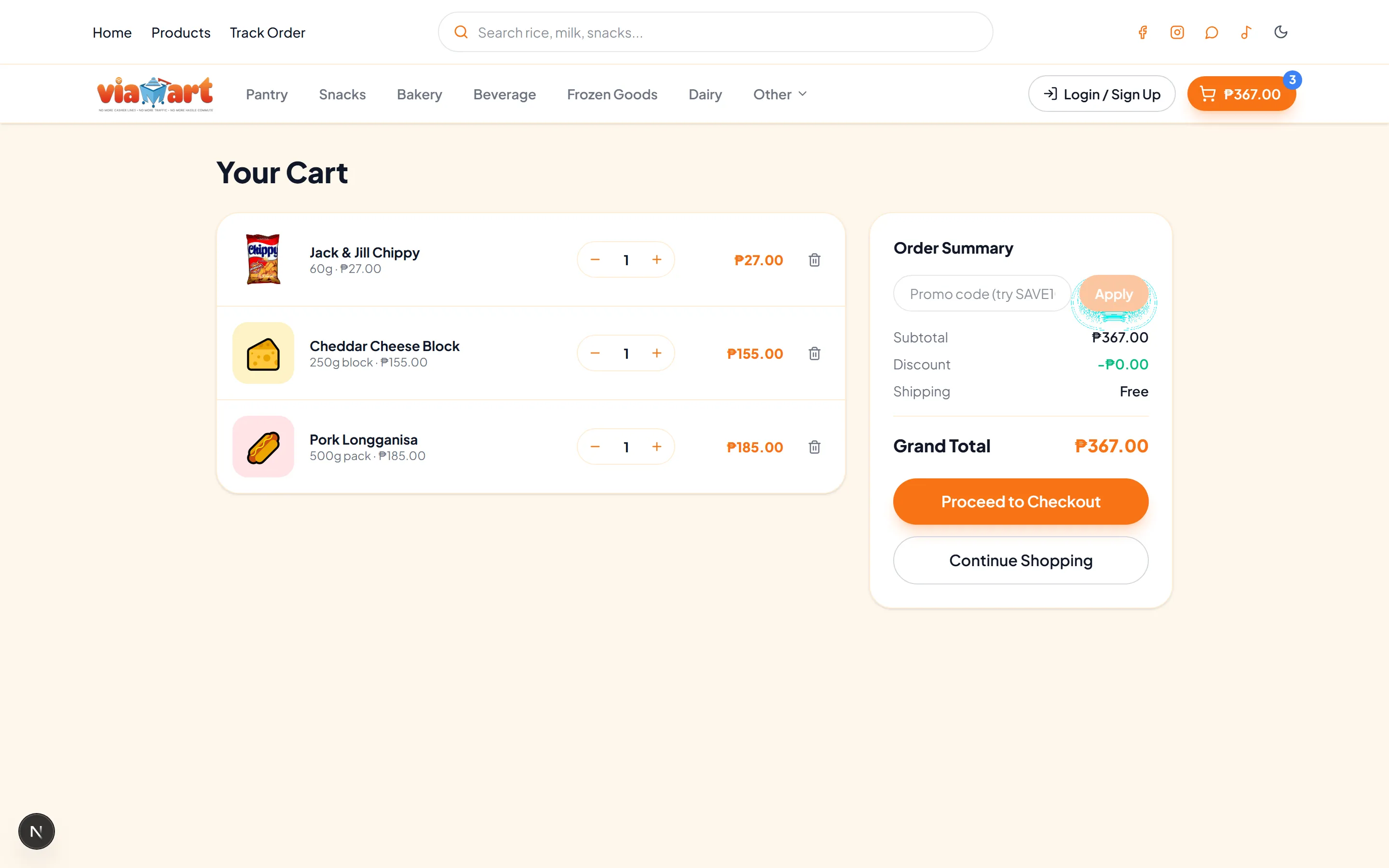
The cart page with line items, quantity steppers, a promo code field and an order summary showing subtotal, discount and total.

Checkout

Checkout that collects what you need to fulfil the order

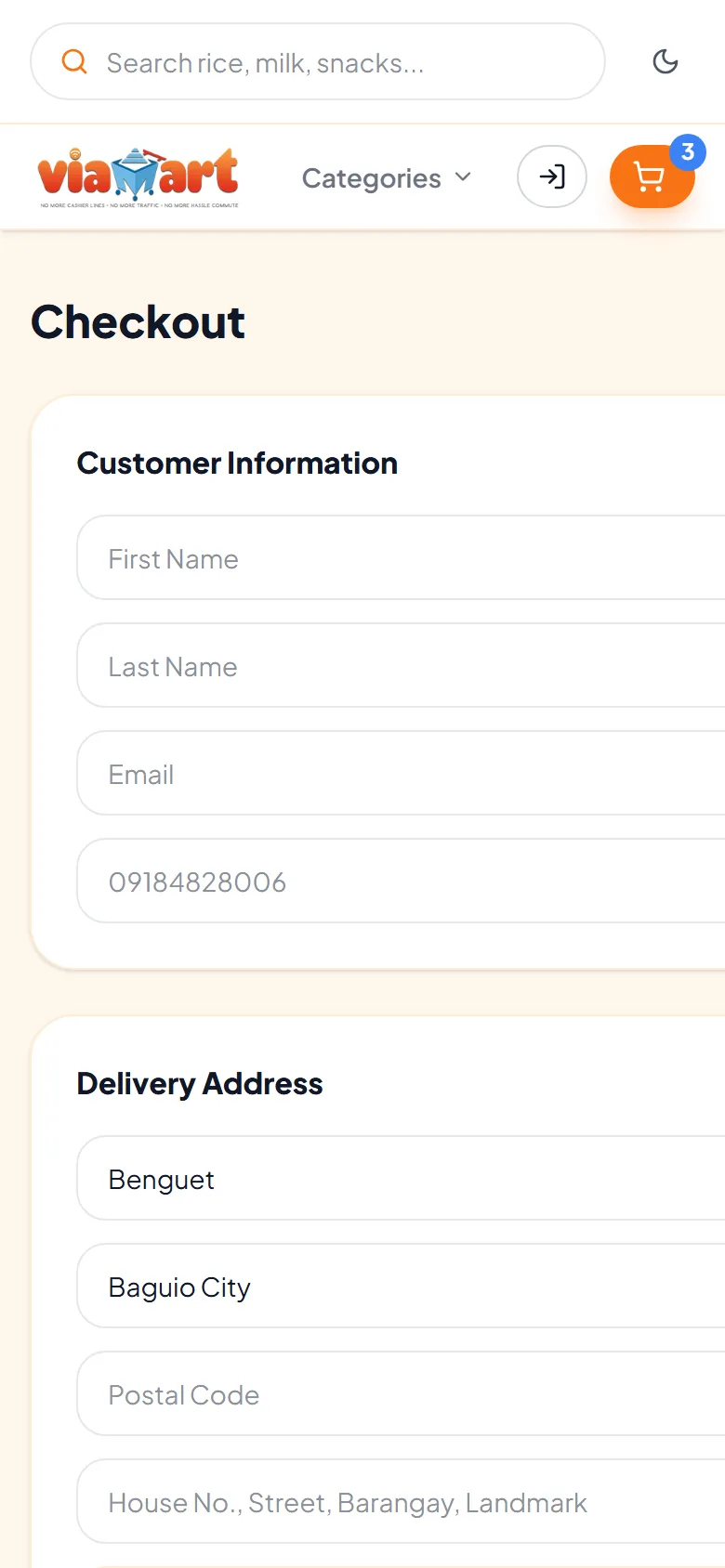
Customer details, a delivery address limited to the areas you deliver to, a map, and the payment methods you have switched on. Customers can upload proof of payment, and pricing and stock are re-checked on the server as the order is placed.
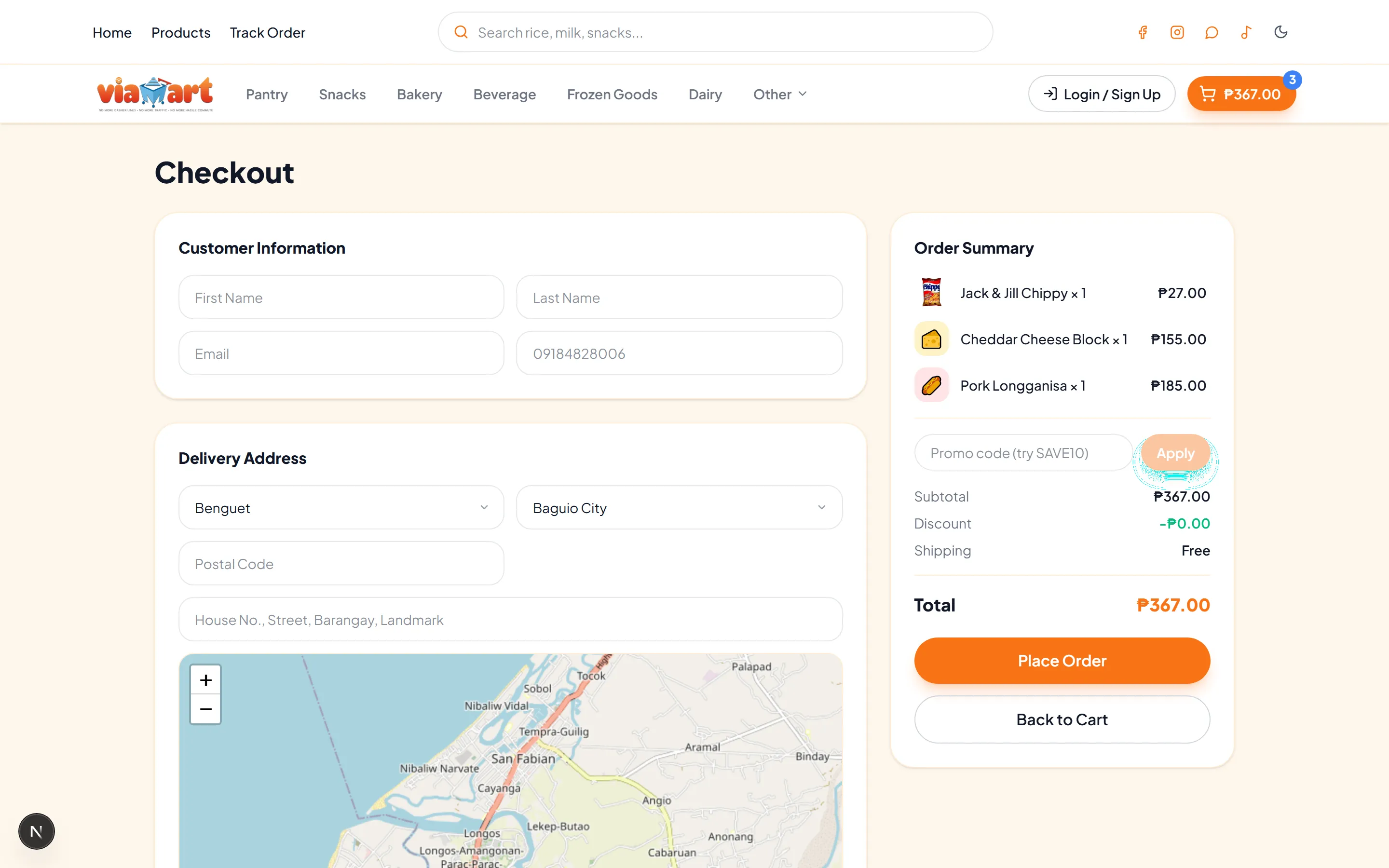
The checkout page with customer information fields, a delivery address form with province and city selectors, a map, and an order summary with a Place Order button.

Order tracking

Customers can check on their own orders

An order number plus the email or mobile used at checkout returns the current status, a timeline of what has happened so far, and the order summary. That is one fewer message for you to answer.
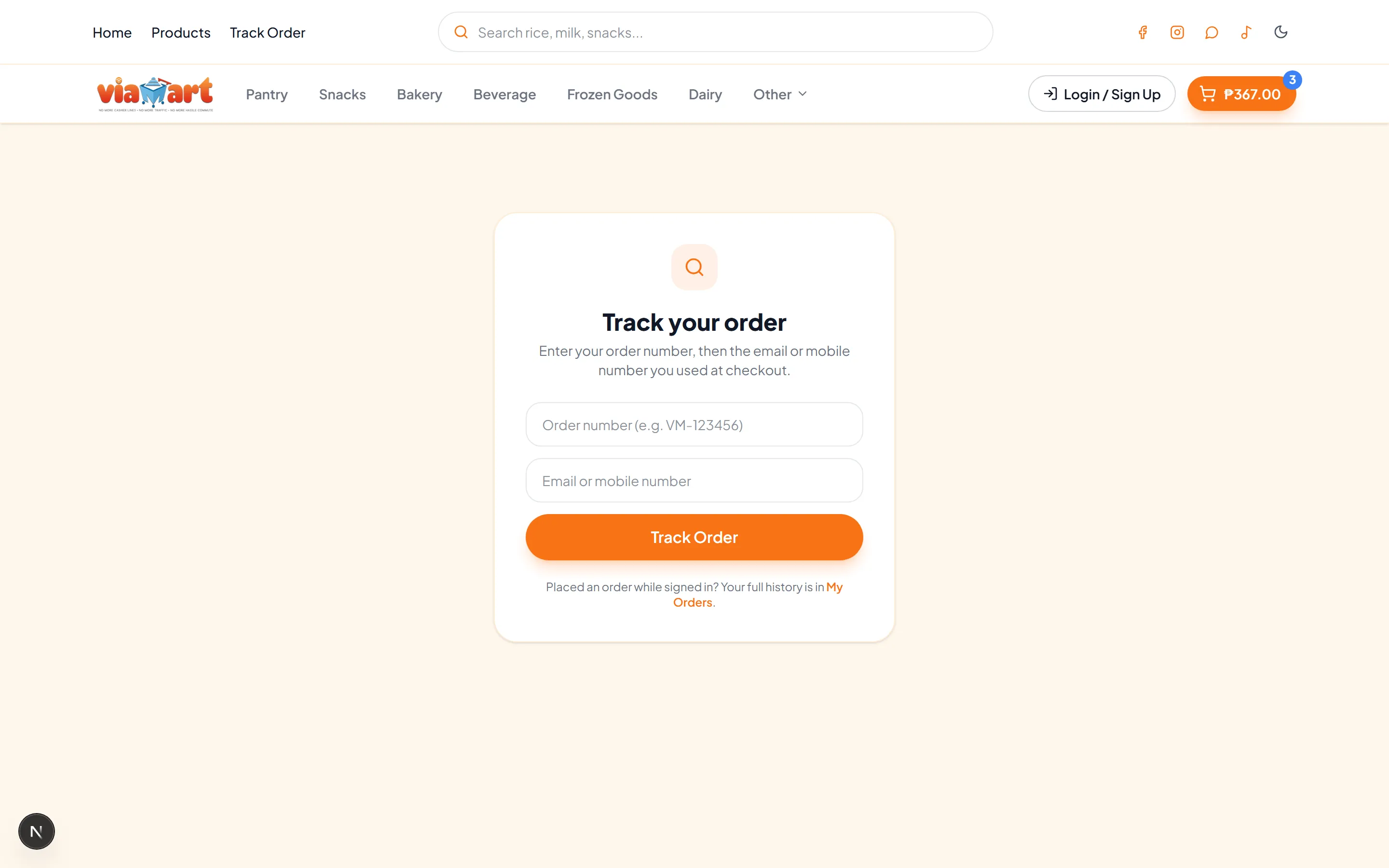
The order tracking page, where a customer enters an order number and the email or mobile number used at checkout.

Your dashboard

The side your customers never see

Products, categories, banners, promo codes, delivery areas, orders, customers and settings — each with its own section. Add a product, change a price, apply a markup across the whole catalog, or mark an order delivered.
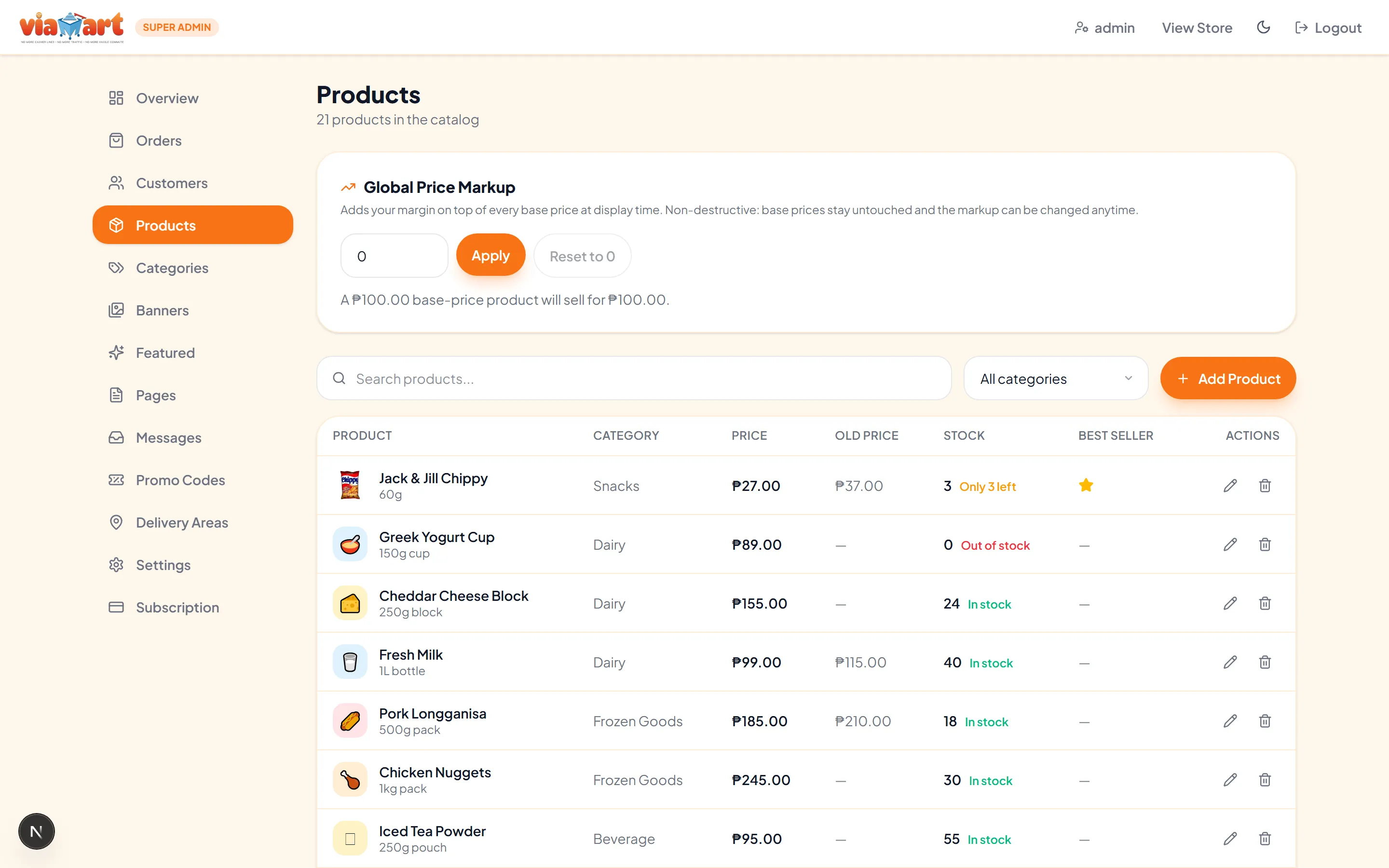
The admin dashboard on the Products screen: a sidebar of sections, a global price markup control, and a table of products with category, price, stock and edit controls.

Every screen size

The same store, on whatever your customers are holding

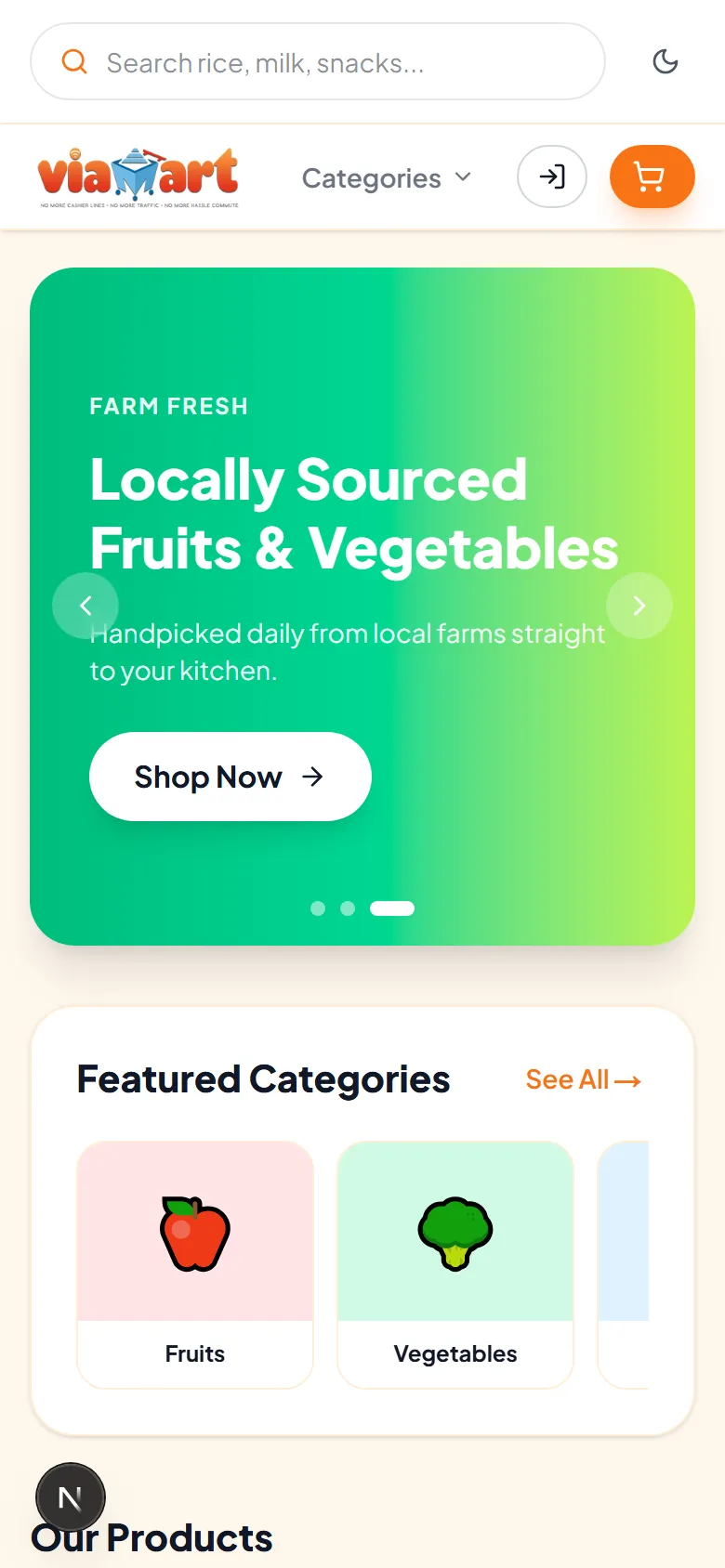
These are the same pages captured at phone width — not a scaled-down desktop.
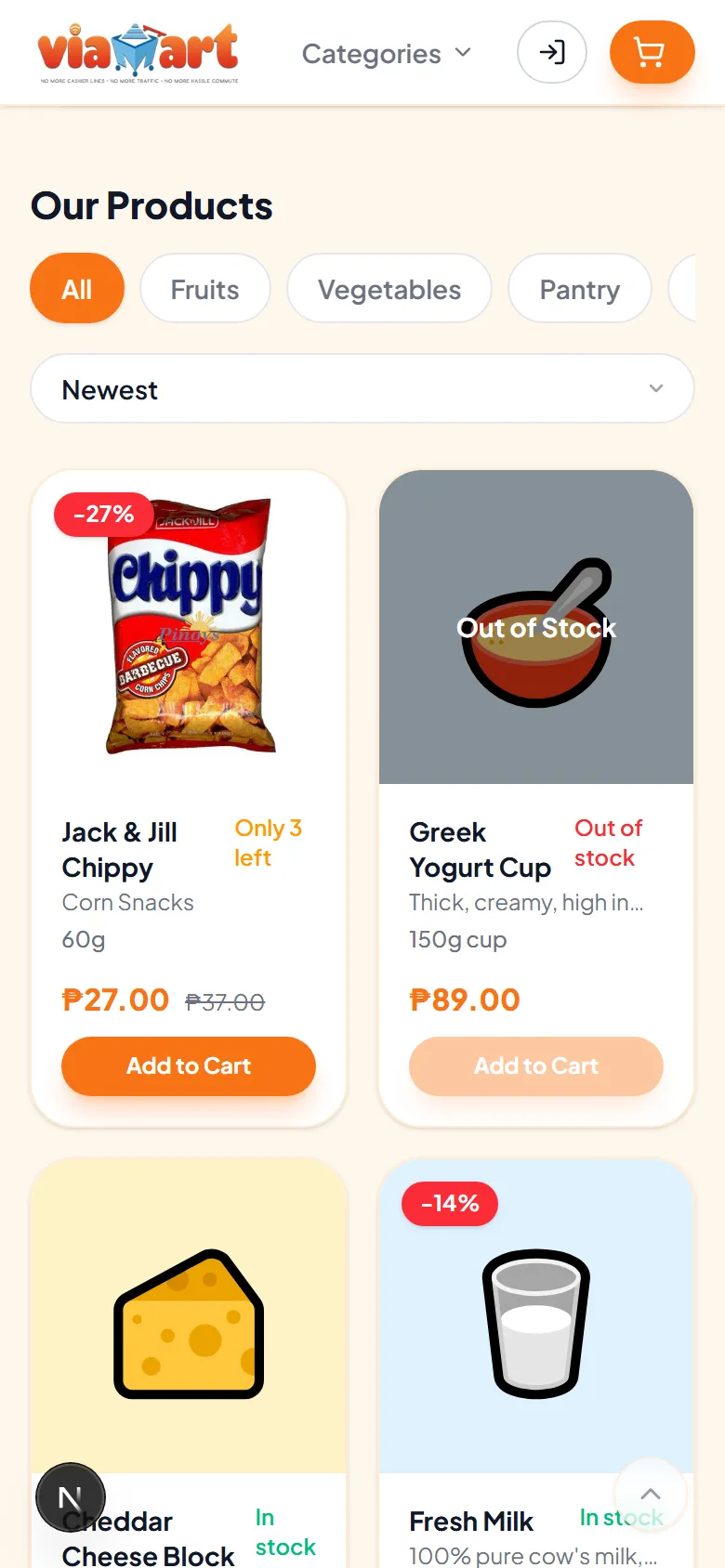
The product grid on a phone, with products stacked in a narrow column.
The cart on a phone, with line items and the order summary stacked vertically.
Checkout on a phone, with the customer information form stacked in a single column.

Where this comes from

Built as a real ecommerce application.

Not a mockup, not a theme. Software that had to handle real products and real orders before it was offered to anyone else.

  1. Built for a real business first

    This started as the online store for a grocery business, not as a template looking for a use. Every part of it — catalog, cart, checkout, order handling — exists because a real shop needed it to work.

  2. Then generalised, deliberately

    The grocery specifics moved into data the store owner controls: categories, products, images, colours, delivery areas, payment methods. What was left is an ecommerce engine that does not care what you sell.

  3. One codebase, many stores

    Each store gets its own site and its own data, running the same maintained code — so a fix or an improvement reaches every store, not just the newest one.

What that means underneath

Orders are priced on the server
Totals, stock and promo codes are re-checked as the order is placed, so a manipulated browser cannot change what an order costs.
Data is locked down per store
Row Level Security governs database access, and uploaded files are stored under the store that owns them.
The storefront stays up
If the database cannot be reached, the storefront falls back to bundled data and keeps rendering instead of showing an error.
Built on current, boring foundations
Next.js and PostgreSQL — widely used, widely understood, and not something exotic that only one person can maintain.

Who it's for

One platform. Many businesses.

A catalog, a cart and a checkout work the same way whether you sell vegetables or headphones. What changes is the products in them.

  • Grocery

    Categories, stock levels and delivery areas

  • Fashion

    A visual catalog with product photos

  • Beauty

    Organised ranges and promotional codes

  • Electronics

    Detailed descriptions and stock counts

  • Food

    A menu customers order from directly

  • Retail

    Your whole shop, listed and searchable

  • Pet products

    Repeat purchases with saved addresses

  • Specialty

    A small catalog that deserves a real store

The products may change. The ecommerce engine doesn't have to.

How it works

Three steps to a working store.

  1. 1

    Set up your store

    Your name, logo, colours and delivery areas. The storefront takes on your branding.

  2. 2

    Add your products

    Create categories, add products with photos and prices, and set what is in stock.

  3. 3

    Start selling

    Share your link. Customers browse, order and track. You manage it from the dashboard.

Make it yours

Start with the foundation. Make it yours.

This is one store, captured four times. Only the brand colour and button shape changed between these shots — everything else is a setting too.
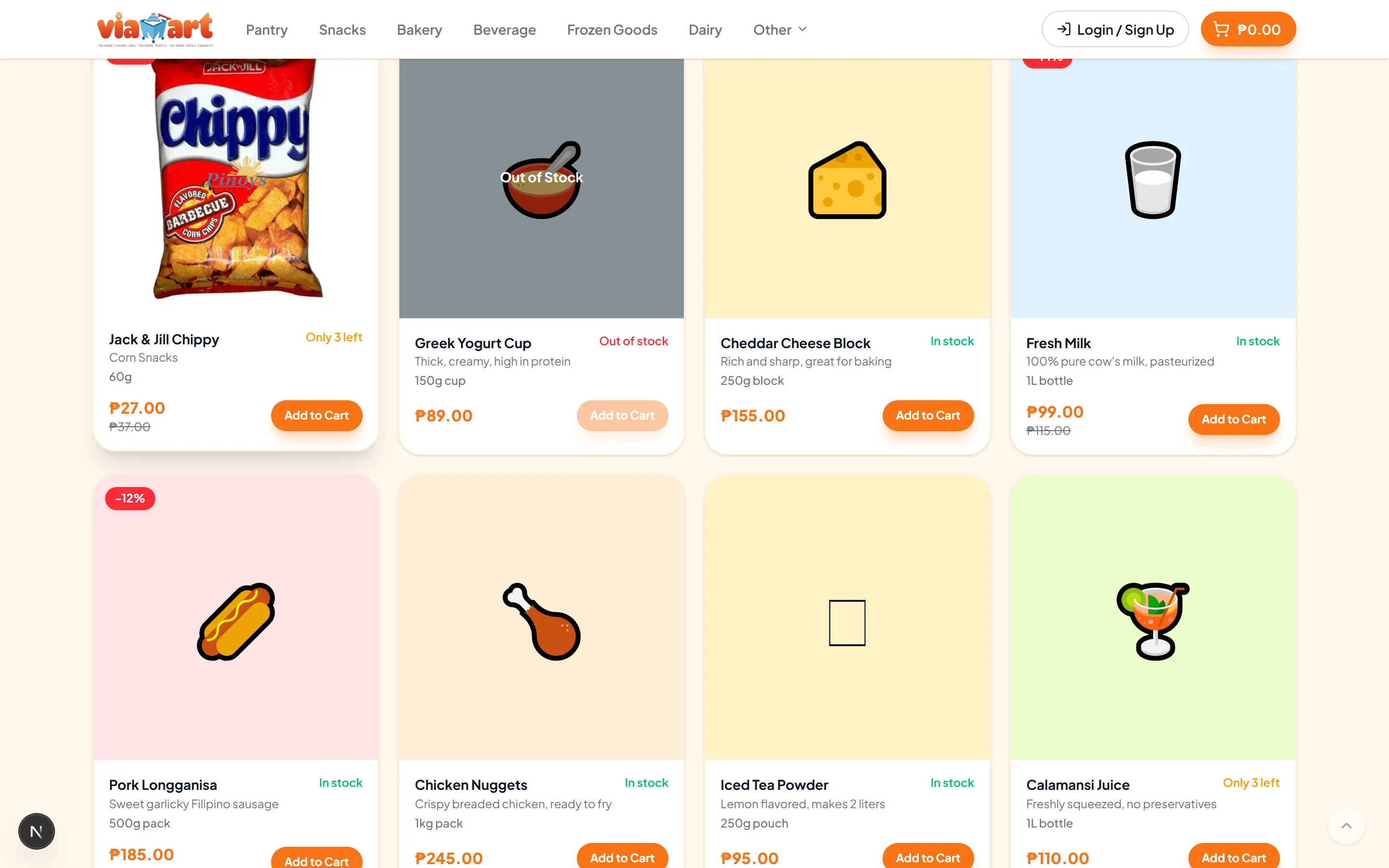
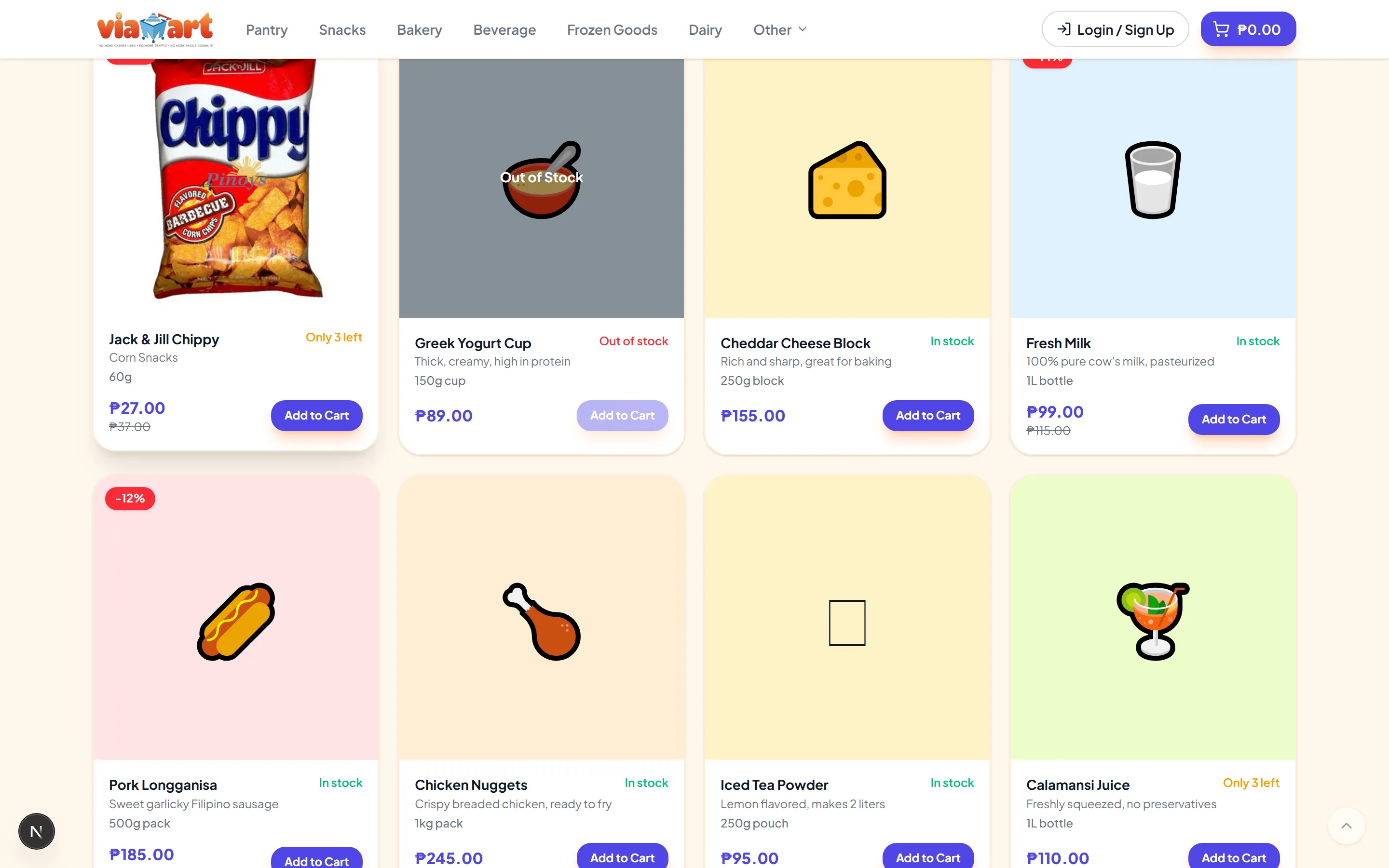
The same storefront product grid using the Sunrise brand colour, with pill buttons.
Sunrise · Pill buttons · the same store, restyled from settings
  • Store name and tagline
  • Logo and favicon
  • Primary colour and page background
  • Button shape
  • Product photos and category images
  • Homepage banners
  • Footer links and navigation buttons
  • Payment methods and delivery areas

A platform you configure — not a template you fight.

Your name, logo, banners and product images are yours to set on every plan. Theme colours, button shape, footer and navigation are part of Power Cart.

The comparison

Why this instead of building from scratch?

Building an ecommerce store from scratch compared with using a ready-to-use application
  Build from scratch Ready-to-use app
Development Design, build and test every screen Already built and running
Time to a working store Months of development before the first sale Configuration and your product catalog
Storefront Built from nothing Homepage, banners, categories and search included
Product catalog Data model, admin screens and image handling to build Products, categories, photos, stock and pricing included
Cart State, totals and promo logic to build Cart drawer, cart page, totals and promo codes included
Checkout Forms, validation, addresses and order creation to build Checkout, delivery areas, payment methods and order placement included
Responsive UI Every screen designed and tested at every size Desktop, tablet and phone layouts included
Maintenance Yours to arrange and pay for One maintained codebase shared across stores

Building from scratch is the right call when you need something genuinely unusual. Most stores don't.

Plans

Three plans. The same ecommerce engine.

Every plan runs the same application — the storefront, cart and checkout are never the thing you pay more for. And no plan caps your orders: your busiest day costs the same as your quietest.

  • 14-day free trial
  • No setup fee
  • No per-order fees

Lite Cart

A first storefront, with the essentials to take orders online.

₱599 / month

Billed monthly

Products
100
Categories
10
Team seats
1
  • Storefront, search and cart
  • Checkout and order placement
  • Unlimited orders — no transaction caps
  • Customer list, details and receipts
  • Your name, logo and product photos
  • 1 banner, 1 promo code, 1 delivery area
  • Not included: Sales dashboard
  • Not included: Customer order tracking
Start with Lite Cart
Recommended

Smart Cart

Room to grow, plus the dashboard and the tracking customers ask for.

₱1,799 / month

Billed monthly

Products
1,000
Categories
25
Team seats
2
  • Everything in Lite Cart
  • Sales dashboard and 30-day chart
  • Customer order tracking
  • Featured categories on the homepage
  • Social links on the storefront
  • 3 banners, 3 promo codes, 3 delivery areas
  • A second team account, with a manager role
  • Not included: Theme colours, footer and navigation
Start with Smart Cart

Power Cart

No ceilings, and every part of the storefront under your control.

₱4,199 / month

Billed monthly

Products
Unlimited
Categories
Unlimited
Team seats
Unlimited
  • Everything in Smart Cart
  • Unlimited banners, with your own images
  • Unlimited promo codes and delivery areas
  • Theme colours, footer and navigation
  • Custom content pages and message inbox
  • Choose and reorder payment methods
  • Curate the featured categories row
  • Unlimited team accounts, with roles
Start with Power Cart

Every plan starts with a 14-day free trial, and there is no setup fee on any plan. You pay for the software and nothing else.

Prices in Philippine pesos. Change plans at any time — talk to us and we'll move you across.

Not sure which fits? Talk to us

Store readiness

Are you ready to sell online?

Answer a few quick questions and get your Store Readiness Score, plus what to fix first.

Get your Store Readiness Score

Eight quick yes-or-no questions about your business, then a few about what you sell. You get your score straight away.

Takes about 2 minutes. Free. Instant result.

Questions

Frequently asked questions

What types of businesses can use this?
Any business that sells products. The platform handles a catalog, categories, search, a cart, checkout and orders — none of which care whether you sell food, clothing, electronics or anything else. You supply the products; the store works the same way.
Do I need to know how to code?
No. Running your store is done through an admin dashboard: adding products and categories, uploading photos, setting prices and stock, creating promo codes, choosing delivery areas and payment methods, and working through orders. Setting up the deployment itself is handled for you.
Can I customize the store?
Yes. From settings you control your store name and tagline, logo and favicon, primary colour, page background, button shape, homepage banners and value cards, footer links, navigation buttons, contact details, delivery areas and which payment methods appear.
Can I use my own branding?
Yes. Your logo, your colours, your store name, your own domain. Nothing on the storefront points customers at a marketplace or another brand.
Is this a template or a complete application?
A complete application. It has a database behind it, an admin dashboard, customer accounts, server-side order placement with stock and price checks, file storage for product images, and order tracking. A template gives you pages; this gives you a working store.
Can you customize it for my business?
That depends on what you need, so it's a conversation rather than a yes or no. A great deal is already adjustable from settings without any development at all — the honest first step is to look at the demo and tell us what's missing for your business.
How quickly can I launch?
That depends on your catalog more than on the software. The application is already built, so the work is configuring your store and getting your products in. We won't quote you a number without knowing how many products you have and what you need changed.
What does it cost?
Three plans: Lite Cart at ₱599 a month, Smart Cart at ₱1,799 and Power Cart at ₱4,199 — or pay for the year and get two months free. Every plan starts with a 14-day free trial, there is no setup fee on any plan, and no plan charges you per order. What each one includes is set out above.

Are you ready to sell online?

Answer a few quick questions and get your Store Readiness Score, plus what to fix first.

Get My Score

Takes about 2 minutes. Free. Instant result.

Getting started

Ready to put your business online?

Start with a proven ecommerce foundation instead of spending months building one from scratch.

Your products deserve more than a social media post.

Give your customers a real place to discover, browse, and buy your products online.